Premium Vector Art Conversion for Sharp Graphics
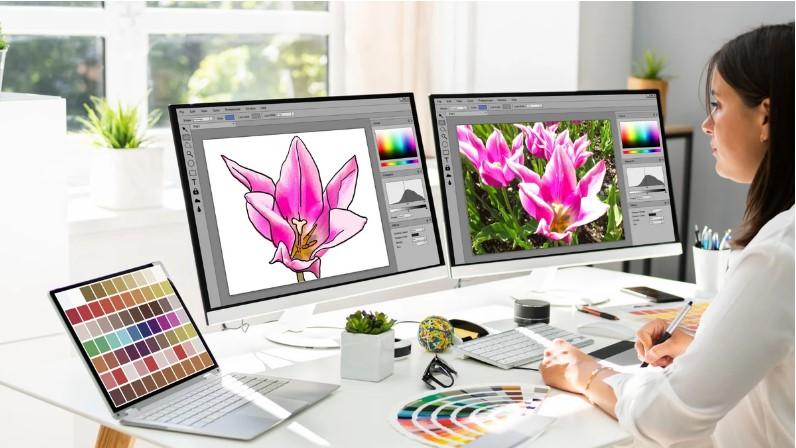
A blurry logo can make an otherwise professional brand look unfinished. When artwork needs to appear on a large banner, business card, product label, or promotional item, image quality matters.
This is where Premium Vector Art Conversion can make a real difference. The process transforms raster images such as JPG, PNG, or BMP files into clean, scalable vector artwork that can be resized without losing sharpness.
But good vector conversion is not simply a matter of clicking an automatic tracing button. Curves, shapes, colors, outlines, and small details often need careful editing to create artwork that is genuinely useful for professional design and printing.
What Is Premium Vector Art Conversion?
Premium vector art conversion is the process of turning raster artwork into editable vector graphics.
Raster images are made from pixels. When you enlarge them too much, those pixels become visible and the image can look blurry or jagged.
Vector artwork works differently. It uses mathematical paths, points, curves, and shapes to define the artwork. This allows the design to be scaled up or down while maintaining clean edges.
Common vector file formats include:
- AI
- EPS
- SVG
The right format depends on how you plan to use the artwork.
Raster vs. Vector Artwork
Understanding the difference between these two image types makes vector conversion much easier to understand.
| Raster Artwork | Vector Artwork |
|---|---|
| Made from pixels | Made from paths and shapes |
| Can become blurry when enlarged | Can scale without pixelation |
| Common formats include JPG and PNG | Common formats include AI, EPS, and SVG |
| Best for photographs | Ideal for logos, icons, and illustrations |
| Editing individual shapes can be difficult | Individual elements can usually be edited |
Think of a raster image like a mosaic made from tiny tiles. A vector design is more like a blueprint that tells you exactly where each line and shape belongs.
Why Convert Images to Vector Format?
There are many reasons businesses, designers, and print professionals use vector artwork.
1. Better Scalability
A vector logo can be used on a small business card and then enlarged for a billboard without becoming pixelated.
2. Cleaner Printing
Professional printing often requires crisp edges and clearly defined shapes. Vector files can provide the precision needed for many print applications.
3. Easier Editing
Vector artwork allows individual elements to be modified more easily.
You can often change:
- Colors
- Shapes
- Lines
- Sizes
- Outlines
- Individual design elements
4. Flexible Branding
A single vector master file can be adapted for many marketing materials.
It can be used for websites, packaging, apparel, signage, stationery, and promotional products.
How Premium Vector Art Conversion Works
A quality conversion process usually involves several stages.
Step 1: Review the Original Image
The first step is to examine the source artwork.
A professional may check:
- Image resolution
- Color count
- Background
- Fine details
- Text
- Outlines
- Overall complexity
This helps determine how much manual work the artwork requires.
Step 2: Clean the Artwork
Before tracing, unwanted elements may need to be removed.
Backgrounds, rough edges, stray marks, and unnecessary details can make the final vector file harder to edit.
Cleaning the artwork first creates a better foundation.
Step 3: Recreate Shapes and Paths
The main visual elements are recreated as vector paths.
Curves need to be smooth, corners need to be accurate, and individual shapes should be properly arranged.
This is where manual vector tracing can provide better control than basic automatic conversion.
Step 4: Rebuild Text and Lettering
Text requires special attention.
If the original image contains a logo name or slogan, the lettering may need to be recreated using suitable fonts or carefully traced paths.
Small differences in letter shape can change the appearance of a logo, so accuracy matters.
Step 5: Match Colors
The colors in the original image are analyzed and reproduced as closely as practical.
For professional printing, the final color setup may also need to follow the requirements of the intended printing process.
Step 6: Refine the Design
Once the basic vector artwork is created, the paths are cleaned up.
This can involve:
- Removing unnecessary anchor points
- Smoothing curves
- Fixing uneven edges
- Aligning objects
- Correcting overlaps
- Adjusting proportions
The goal is a clean and organized vector file rather than a rough automatic trace.
Step 7: Export the Required Format
The finished artwork can then be exported in the format needed for the project.
Depending on the intended use, this might include AI, EPS, SVG, or PDF.
What Images Can Be Converted Into Vector Artwork?
Many types of raster artwork can be converted.
JPG Images
JPG is commonly used for logos, graphics, and web images. A high-resolution JPG usually provides more useful source information.
PNG Images
PNG files are frequently used for logos and graphics, particularly when transparency is involved.
Scanned Artwork
Hand-drawn logos, sketches, and older printed artwork can often be recreated as vector graphics.
Low-Resolution Logos
Even a small logo can sometimes be converted, although recreating a severely pixelated image may require more manual interpretation.
Why Automatic Image Tracing Isn't Always Enough
Automatic vectorization can be useful, especially for simple artwork. However, it can also create messy results.
An automatic trace may generate:
- Too many anchor points
- Uneven curves
- Unwanted shapes
- Incorrect colors
- Broken outlines
- Difficult-to-edit paths
For simple black-and-white artwork, automatic tracing may work well. Complex branding artwork usually benefits from manual cleanup and refinement.
What Makes Vector Artwork High Quality?
A high-quality vector file isn't judged only by whether it opens successfully.
Good vector artwork should have:
Clean Paths
Paths should follow the original artwork accurately without unnecessary complexity.
Smooth Curves
Curved logos and illustrations should have natural, consistent lines.
Proper Object Organization
Separate elements should be easy to select and edit.
Accurate Colors
Colors should be chosen according to the intended use rather than copied carelessly.
Correct Dimensions
The artwork should maintain the correct proportions and visual balance.
Editable Structure
A useful vector file should be practical for future modifications.
Vector Conversion for Printing
One of the most common reasons to convert artwork is professional printing.
Vector graphics are especially useful for designs such as:
- Business cards
- Brochures
- Posters
- Banners
- Product packaging
- Labels
- Signs
- Promotional materials
- Apparel graphics
For example, a company may have a small PNG logo created years ago. Instead of using that blurry file for a large sign, converting it into clean vector artwork provides a better master file for future projects.
Vector Artwork for Logos and Branding
Logos benefit greatly from vector conversion because they are used in many different sizes.
A logo may appear on a website today and on a large storefront sign tomorrow.
With a properly created vector master, the same artwork can be scaled while maintaining clean edges and consistent proportions.
This also makes it easier to create different color versions or adapt the logo for various marketing materials.
Choosing the Right Vector File Format
Different projects may require different formats.
AI
Useful for editable artwork within compatible professional design workflows.
EPS
A widely used format for exchanging vector artwork between different design and production environments.
SVG
Commonly used for websites, digital graphics, icons, and applications that support scalable vector graphics.
Can contain vector artwork and is frequently used for sharing or printing, although the exact contents depend on how the PDF was created.
When ordering vector conversion, ask for the format your designer, printer, or production provider actually needs.
Common Mistakes in Vector Art Conversion
Tracing Without Cleaning
A quick trace may technically create a vector file, but messy paths can make future editing difficult.
Using Too Many Anchor Points
More points don't necessarily mean better accuracy. Excessive points can create uneven curves and make the file harder to manage.
Ignoring Small Details
Tiny elements may need careful recreation rather than automatic tracing.
Incorrect Color Matching
Colors that look similar on screen may print differently. The intended printing method should be considered when preparing the final artwork.
Distorting the Original Logo
A vector conversion should preserve the important proportions and visual identity of the original design.
When Should You Hire a Professional?
Simple artwork can sometimes be converted using vectorization software.
However, professional vector tracing may be a better option when:
- The logo is important to your business.
- The source image is low resolution.
- The artwork contains complex curves.
- You need accurate colors.
- The file will be used for professional printing.
- You need multiple file formats.
- The artwork must remain fully editable.
Professional conversion can save time when manually rebuilding artwork would otherwise take hours.
How to Prepare Your Artwork for Conversion
You can make the conversion process easier by providing the best source material available.
Before submitting an image:
- Find the highest-resolution version of the artwork.
- Remove unnecessary backgrounds if possible.
- Provide original color information when available.
- Explain where the artwork will be used.
- Specify the required file format.
- Mention any elements that must remain unchanged.
If you have an old printed logo, provide a clear scan or photograph rather than a heavily compressed screenshot.
Benefits of Premium Vector Art Conversion
A professionally converted vector file can provide long-term value.
One Master File for Multiple Uses
You can reuse the vector artwork for different sizes and applications.
Easier Future Editing
Colors, shapes, and other elements can be modified without starting from scratch.
Professional Appearance
Clean paths and smooth curves help maintain a polished appearance across different applications.
Better Production Flexibility
Printers, designers, sign makers, and other production professionals often benefit from receiving properly prepared vector artwork.
Frequently Asked Questions
What is Premium Vector Art Conversion?
It is the process of recreating raster artwork as clean, editable vector graphics while preserving important shapes, colors, proportions, and design details.
Can a JPG be converted into a vector file?
Yes. JPG artwork can be manually or automatically traced into vector formats such as AI, EPS, SVG, or PDF. The quality of the source image can affect how much cleanup is required.
What is the best vector format?
There isn't one universal best format. AI, EPS, SVG, and PDF each have different uses. The best choice depends on your designer, printer, website, or production workflow.
Can a low-resolution logo be converted to vector?
Yes. A low-resolution logo can often be recreated as vector artwork. However, if important details are unclear, manual interpretation may be needed.
Is professional vector tracing better than automatic conversion?
For simple graphics, automatic tracing may be sufficient. Complex logos and detailed artwork often benefit from manual tracing and cleanup for greater accuracy and easier editing.
Conclusion
Premium Vector Art Conversion is more than changing an image from one file type to another. It is about rebuilding artwork into clean, scalable, and editable graphics that can be used confidently across different applications.
Whether you need artwork for printing, branding, packaging, signage, digital media, or promotional products, a well-prepared vector file gives you much more flexibility than a low-resolution raster image.
The best results come from starting with good source artwork, carefully recreating important shapes, refining paths, checking colors, and exporting the format required for your project. When accuracy and professional presentation matter, quality vector conversion can turn an outdated or blurry image into a versatile design asset.
الأقسام
إقرأ المزيد
Center pivot irrigation is a method of crop irrigation in which equipment rotates around a pivot and crops are watered with sprinklers. This highly efficient method is becoming increasingly critical for global agriculture, and its market is experiencing significant growth. The primary drivers are the growing pressure on water resources, the need to increase agricultural productivity, and...

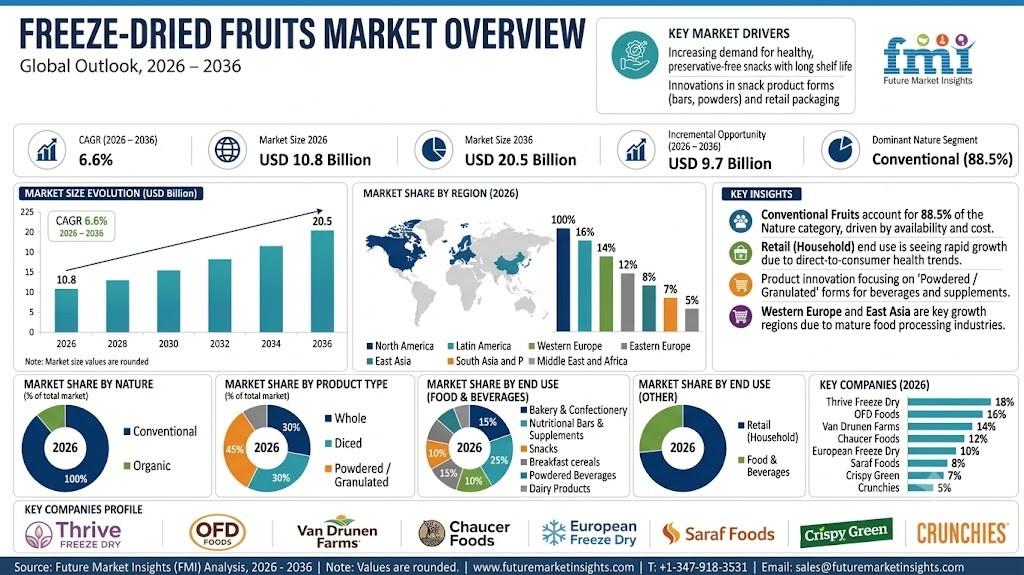
Freeze-Dried Fruits Market Conventional Fruits Lead Nature Category at 88.5% The global freeze-dried fruits market is forecast to increase from USD 10.8 billion in 2026 to USD 20.5 billion by 2036, expanding at a 6.6% CAGR during the 2026-2036 forecast period, according to Future Market Insights. The market stood at USD 10.1 billion in 2025. Growth is being supported by increasing demand for...
The At-Home Saliva Testing Kit Market is expanding as consumers seek convenient, non-invasive, and accessible ways to monitor health from home. Saliva collection does not require needles and can support testing for genetic traits, hormones, infections, drugs, oral health, and other biomarkers. At-home saliva kits typically include a collection tube or swab, instructions, packaging for...
A comprehensive Ceramic Single Layer Capacitor Market Analysis reveals an integrated electronic component ecosystem connecting raw chemical processors, precision ceramic substrate foundries, thin-film metallization facilities, hybrid microcircuit assemblers, and multi-vertical industrial end-users. At the foundational layer of this value chain are raw material suppliers producing...
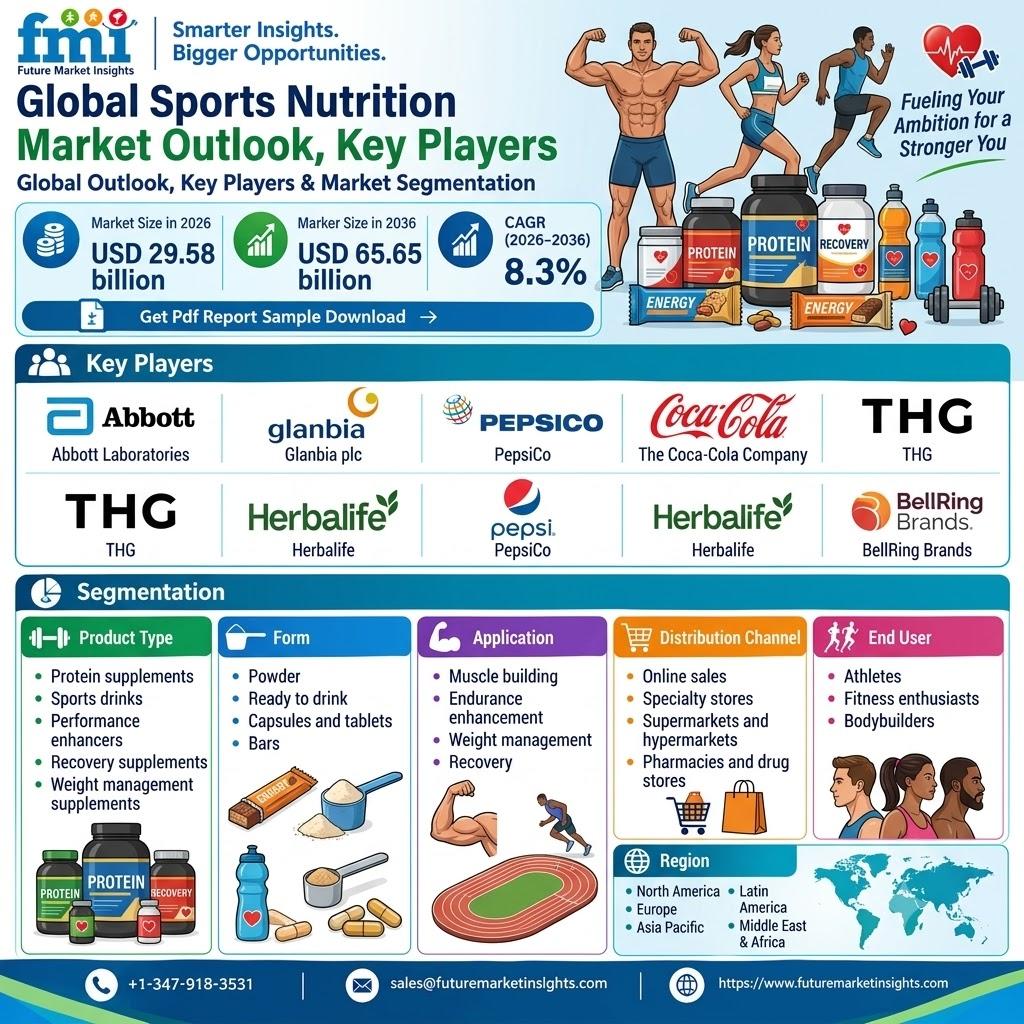
Sports Nutrition Market Outlook Growing fitness participation, wider retail access and demand for convenient protein, hydration and recovery formats are reshaping purchasing patterns, according to Future Market Insights. NEWARK, Del., October 8, 2026. — The global sports nutrition market is estimated at USD 29.58 billion in 2026 and is projected to reach USD 65.65 billion by 2036,...